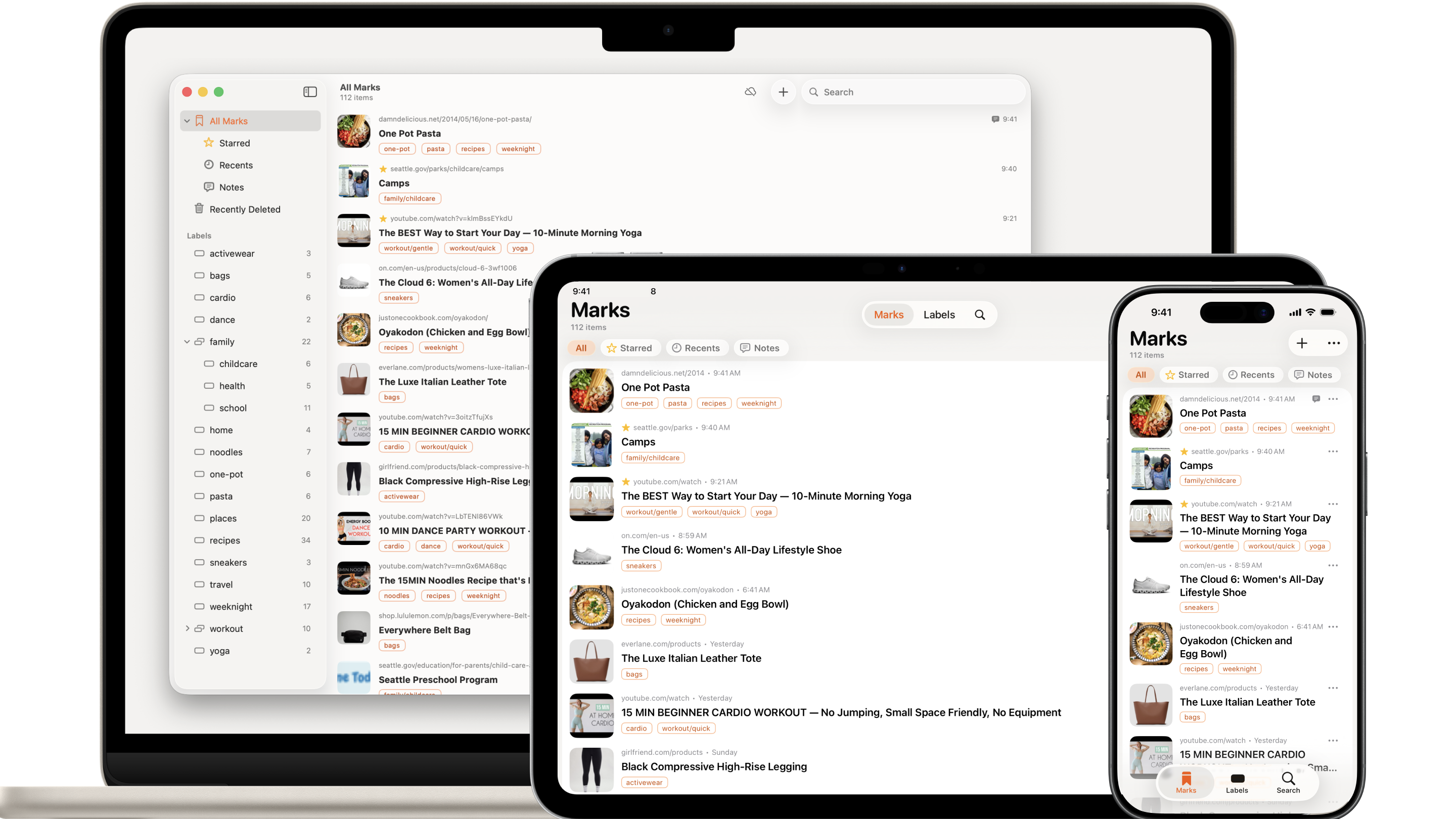
iPhone, iPad, Mac & Chrome
Catch what catches you. Use it later when you need it.
News, X posts, Substack articles, how-tos, review sites, recipes — Chipmark marks the links to content that catches your interest, so you can use them later when you need them.
Catch Links from Anywhere — Even Windows PCs
Copy and paste, the Share button from apps, or Safari and Chrome extensions — catching links is easy. Drag and drop too. The Chrome extension lets you catch from Chrome on both Mac and Windows.
Get Back to the App Fast
Rich titles and thumbnails make your finds easy to spot. X, YouTube, Substack, Reddit, Instagram, TikTok and more open back in their original apps whenever possible, so you can pick up right where you left off.
On Every Apple Device
Free iCloud sync keeps your marks ready across iPhone, iPad, and Mac under the same Apple Account.
Skip the Folders. Just Tag.
"Travel" "Paris" "Cafes" — just tag whatever comes to mind. Combine tags and your own list is ready to go.
Add a Note to Any Link
Clippings, insights, why you marked it, what you thought after — your own thinking, on every link.
Undo Accidental Deletes
Deleted marks stay in the trash, so an accidental delete is easy to undo.
Find It Fast with Lightning Search
Type a few letters and your mark appears — search by title, tag, or note. Stop re-searching the web for what you already found.
Private & Secure
Your data stays private — we never see it. No accounts required. Export to a CSV file anytime. Your data is yours.